<?xml version="1.0" encoding="UTF-8" ?>
<Module>
    <ModulePrefs
        title="View Navigation Test"
        description="Example of how to navigate between different views and pass data between them."
        author_email="help@example.com"
        thumbnail="http://example.com/thumb.png"
        screenshot="http://example.com/screenshot.png">
        <Require feature="views" />
        <Require feature="dynamic-height"/>
    </ModulePrefs>
    <Content type="html" view="home,canvas,profile"><![CDATA[
        <h3>View navigation</h3>
        <div id="view_nav"></div>

        <h3>Current view</h3>
        <div id="curr_view"></div>

        <h3>Available views</h3>
        <div id="view_list"></div>

        <script type="text/javascript">
            getViews = function () {
                var views, viewHash, viewArray;

                views = gadgets.views.getSupportedViews();
                viewHash = {};
                viewArray = new Array();

                for(var view in views) {
                    viewHash[views[view].getName()] = view;
                }

                for(var view in viewHash) {
                    viewArray.push(view);
                }

                return viewArray;
            };

            function currentView() {
                var curr_view_html = document.getElementById('curr_view');
                var curr_view_ref = gadgets.views.getCurrentView();
                curr_view_html.innerHTML = "Current view: " + curr_view_ref.getName();

                gadgets.window.adjustHeight();
            };

            function supportedViews() {
                var view_list_html = document.getElementById('view_list');
                var views = gadgets.views.getSupportedViews();
                var html_out = "<ul>";
                var views;

                views = getViews();

                for (var itor in views) {
                    html_out += "<li>" + views[itor] + "</li>";
                }

                html_out += "</ul>";
                view_list_html.innerHTML = html_out;

                gadgets.window.adjustHeight();
            };

            function viewNavigation() {
                var view_nav_html = document.getElementById('view_nav');
                var views;

                views = getViews();
                html_out = "<select id='view_select'>"
                for (var itor in views) {
                    html_out += "<option value='" + views[itor] + "'>" + views[itor] + "</option>";
                }
                html_out += "</select>";

                html_out += "<ul><li>Value One: <input type='text' id='txtParamOne' /></li>";
                html_out += "<li>Value Two: <input type='text' id='txtParamTwo' /></li></ul>";
                html_out += "<input type='button' onClick='navigateToView()' value='Go!' />";

                view_nav_html.innerHTML = html_out;

                gadgets.window.adjustHeight();
            };

            function outputParameters() {
                var params1 = gadgets.views.getParams();

                if ('undefined' === typeof(params1) || 'undefined' === typeof(params1['param1'])){
                    return;
                }
                document.getElementById('txtParamOne').value = params1['param1'];
                document.getElementById('txtParamTwo').value = params1['param2'];

                gadgets.window.adjustHeight();
            };

            function navigateToView () {
                var dest_view = document.getElementById('view_select').value;
                var views = gadgets.views.getSupportedViews();
                var dest_view_ref = views[dest_view];

                var params = {};
                params['param1'] = document.getElementById('txtParamOne').value;
                params['param2'] = document.getElementById('txtParamTwo').value;
                gadgets.views.requestNavigateTo(dest_view_ref, params);
            };


            currentView();
            supportedViews();
            viewNavigation();
            outputParameters();
        </script>
        ]]></Content>
    <Content type="html" view="profile"><![CDATA[
        <p>Hello, Profile View!</p>
        ]]></Content>
    <Content type="html" view="canvas"><![CDATA[
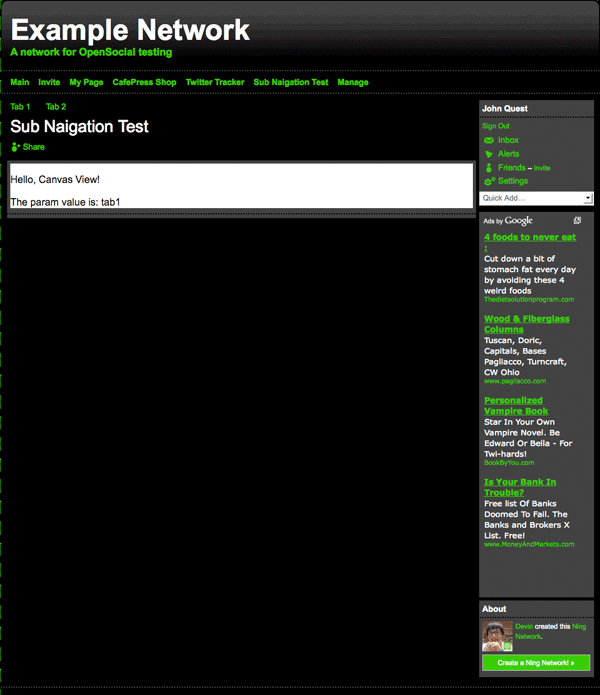
        <p>Hello, Canvas View!</p>
        ]]></Content>
    <Content type="html" view="home"><![CDATA[
        <p>Hello, Home View!</p>
        ]]></Content>
</Module>